Why oss-inbox?
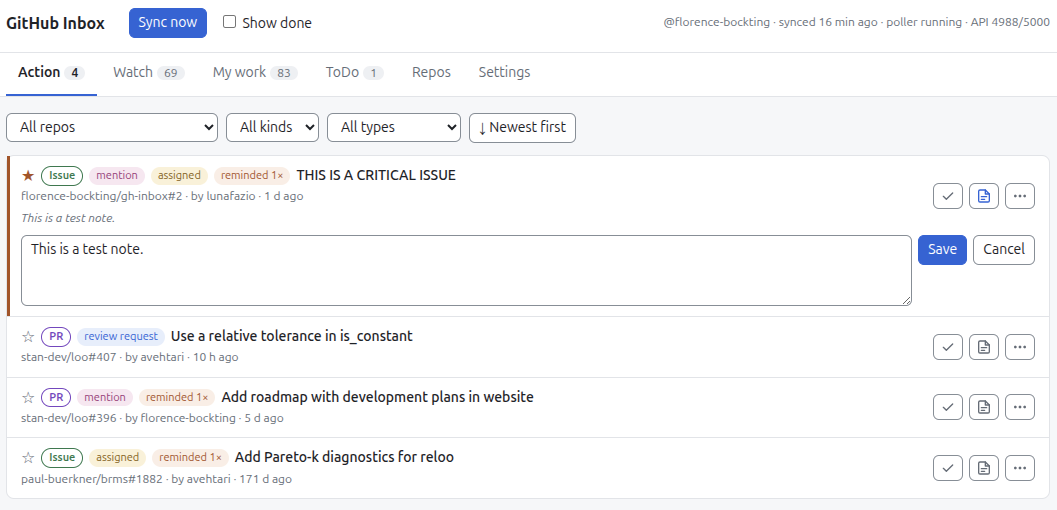
Each scenario matches a problem from my old workflow to a solution in the app. Click a card for the details.
All my work in one place
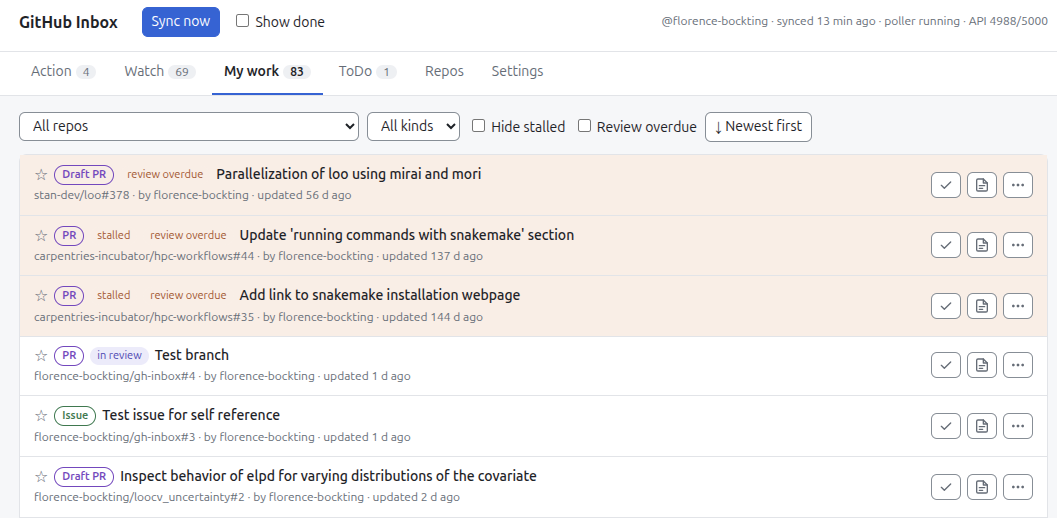
Problem: I open issues and pull requests in many repos. I have no single view of them.
Solution: The My work tab lists my open items from all repos.
Never miss a request
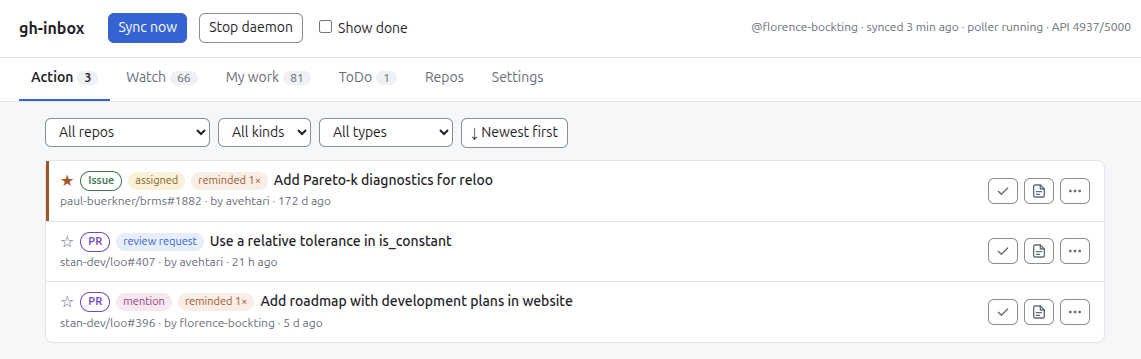
Problem: GitHub sends me many notifications. Most come from watched repos. The requests for my action are lost among them. To find these requests again is difficult.
Solution: The Action tab lists only the items that need my action:
- Someone mentions me. I probably must join a discussion.
- Someone assigns an issue or a pull request to me.
- Someone requests my review.
Follow the community at my own pace
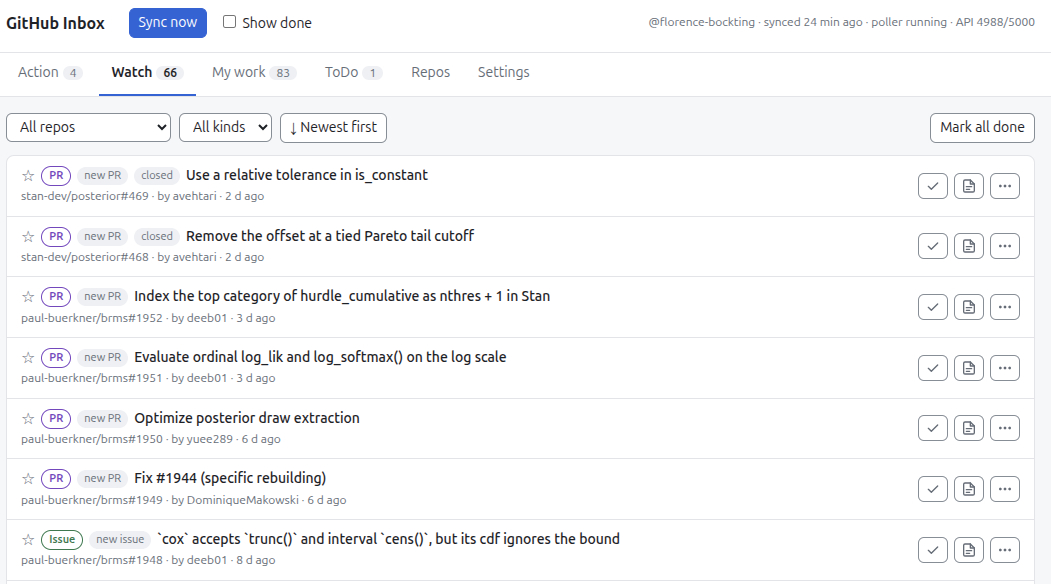
Problem: I watch repos to follow the community work. These repos send many notifications. Most are not urgent for me. I do not want to see them all the time. I read them only at specific times in the week.
Solution: The Watch tab collects the new issues and pull requests from my watched repos. I browse them when I have time. No item in this tab needs my action.
Tag myself, never forget
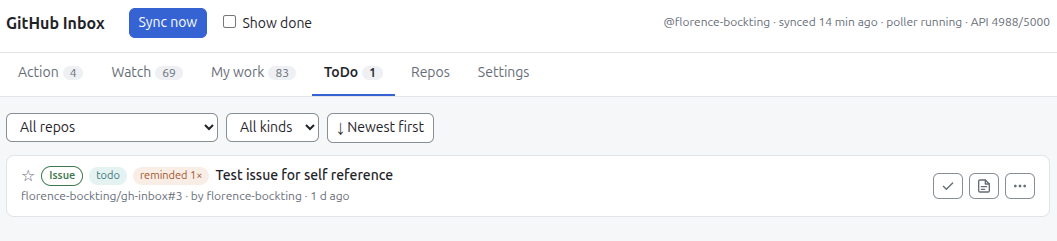
Problem: In a pull request, I find a follow-up task. I write it as a to-do item. I do not open the follow-up pull request yet. Later, someone merges the pull request. I then forget the to-do.
Solution: I tag myself with my login, for example @florence-bockting, in the to-do item. The ToDo tab
collects all items with a self-mention. The item stays there after a merge. I
use GitHub for my own task management.
No review gets forgotten
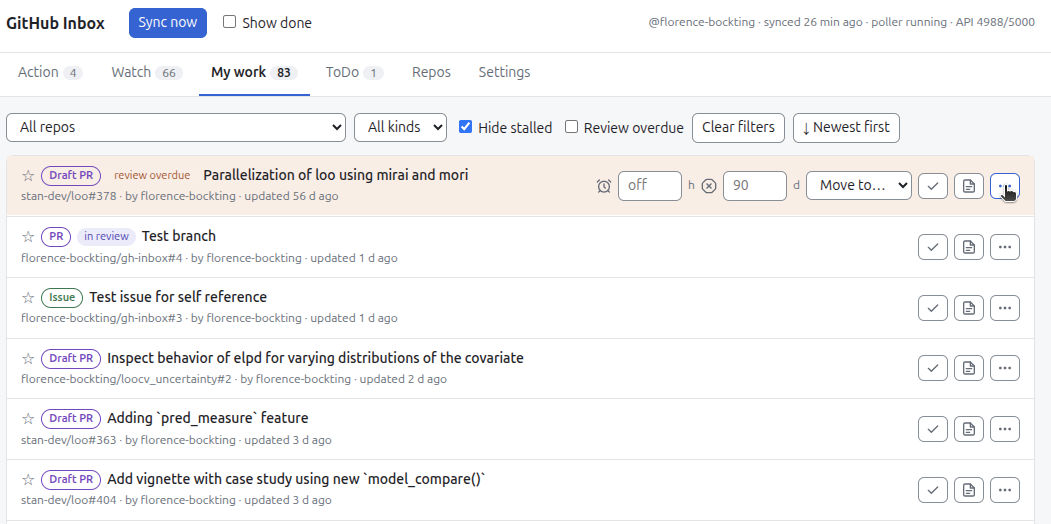
Problem: I work on several pull requests. Some wait for a review. While I wait, I work on other things. I forget the waiting pull requests. The reviewer can also forget them. Then nothing happens.
Solution: The My work tab reminds me after N days without a review. The pull request shows "review overdue". It gets a pin at the top of the list. A pop-up comes. I can then tag the reviewer again.
Private notes on public items
Problem: I want to add internal information to an item, for example a blocker. This information does not belong in a GitHub comment. GitHub has no private note on an item.
Solution: I attach a note to an item in any tab. The app saves each note in one row of a CSV file. The row has the URL of the item. I can share the file with others.